Scale
The scale of the model is valued as a percentage and should be 0.1% from real size. This means that a car with a 2800mm wheel base and a track width of 1500mm will scale down to a 2.8mm wheel base and 1.5mm track. A wheel with a 660mm diameter will have a scaled diameter of .660mm and be placed with its center .330mm above the x,y-axis plane.
If you are creating a model from scratch and working at a real world scale then the best way to achieve this is to complete the model and then 'group' all of the objects and then scale that group. Position it center to the scene and then 'ungroup' the objects.
If you are working with an existing model, try to scale it to the actual dimensions first. You can do this by measuring distances, within the model, and comparing them with actual specs. Then scale it. Don't forget to Reset XForm on the object.
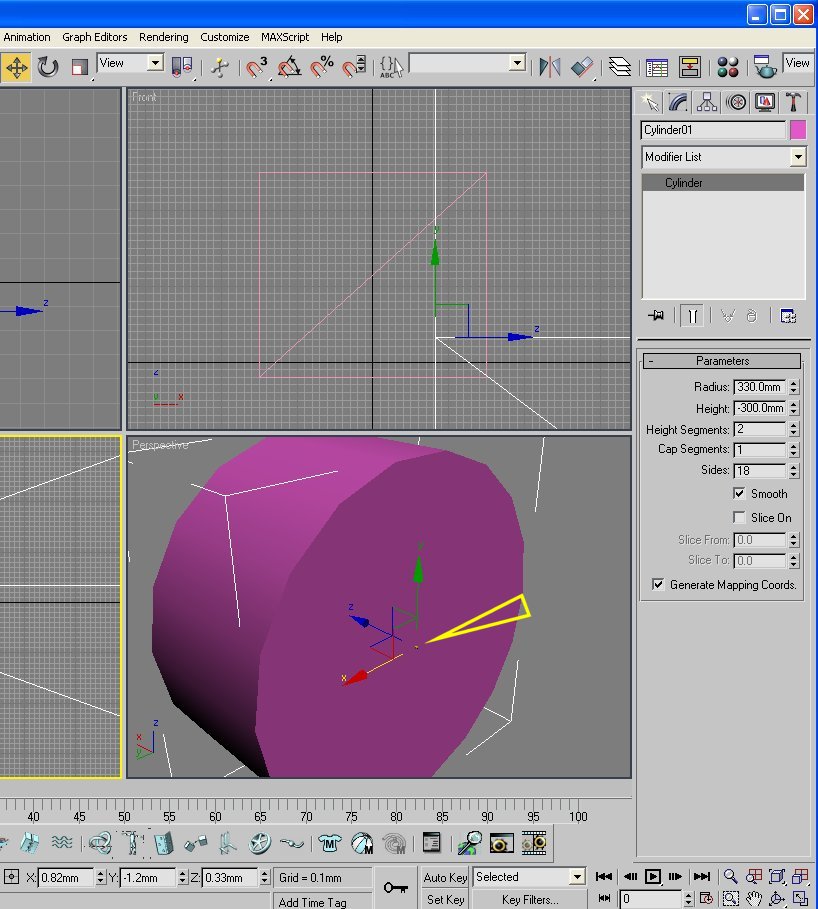
In the screenshot, above, I have imported the Maxbox.3ds, which can be seen in the front view. I have also created a 'wheel size' cylinder and placed its center as you see it in the front view. At this point you can see the size difference in the two objects, I have placed an arrow pointing at the maxbox in the perspective view. The cylinder must be scaled down to fit inside the maxbox. I select the cylinder and choose the scale transform.
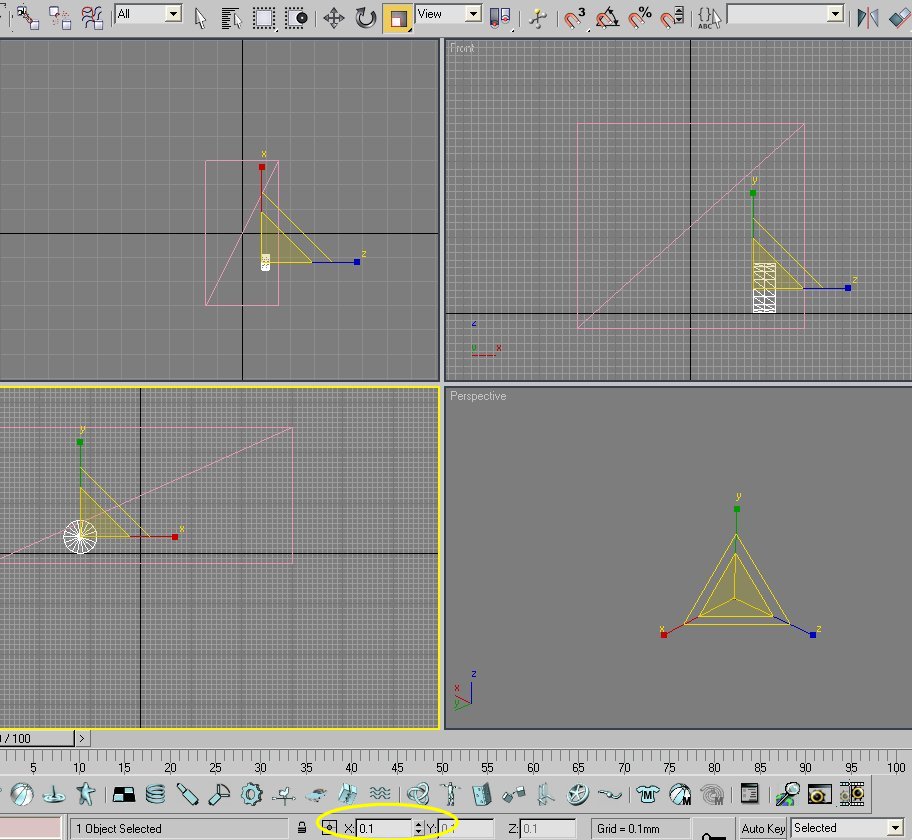
I then overwrite the 100.0, in the text box I've circled, with 0.1 (zero point one) and press enter. All three axis of that object are scaled down in size.