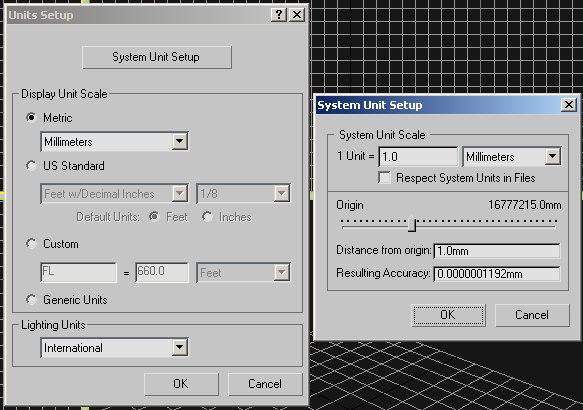
Scene Setup
Units Setup
Under the Customize pull-down menu, choose Units Setup. Set as follows.
Grid Settings
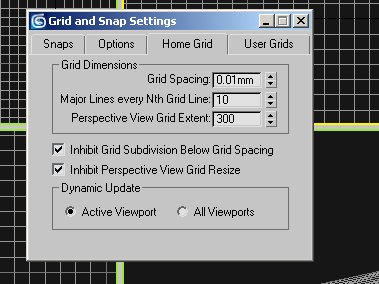
Under the Customize pull-down menu, choose Grid and Snap Settings.
Home Grid tab. Set as follows.
Here is the Maxbox.3ds imported to the scene. Perspective view shows the extent of the grid we've just created.
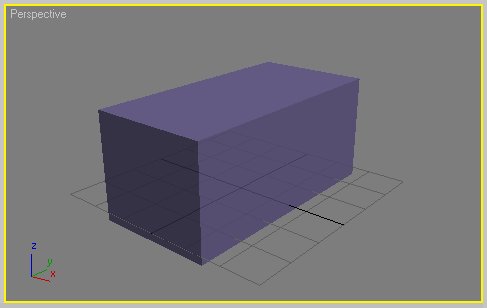
This step is important because it will give you an idea of the scale that we're working at (very small). Your model must fit inside the box.